One Block Horrors But Gun Verify Official Resources
How to confirm Roblox links for ONE BLOCK HORROR — and reject fake code Discords.
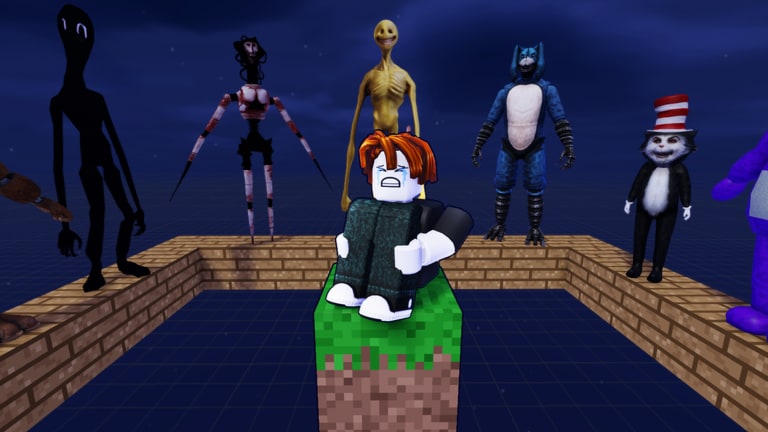
Start from Roblox, not from chat
ONE BLOCK HORROR by jacobis group (wiki brand One Block Horrors But Gun) is a free-to-play Roblox Survival place: released 2026-08-30, online co-op, max 20 players, PlaceId 77656978984223, universeId 10764523148. Official discovery still begins on Roblox itself — the experience page and the studio group — not on a stranger’s Discord invite, a TikTok bio, or a “pinned codes” screenshot in a public server.
This page is the verification deep-dive behind the parent Links Hub. Use it when someone claims they found the “real” social channel, when a DM promises free codes, or when you need a calm checklist before you click. For systems context, keep Wiki Hub nearby; for play, jump to Getting Started once the link question is settled.
Canonical surfaces to trust first
1. The experience page
Open ONE BLOCK HORROR on Roblox. Confirm:
- Place name matches ONE BLOCK HORROR (not a random OneBlock Lucky Block clone).
- Creator / group attribution points at jacobis.
- PlaceId and universe line up with
77656978984223/10764523148when you inspect URLs or developer details. - Updated timestamp and description text — your primary patch signals, taught in detail on How to Track Updates.
- Any Social links Roblox shows for this experience. If Social is empty, that emptiness is data: do not fill the gap with chat invites.
2. The jacobis group page
Open jacobis on Roblox (group id 35320760). Late 2026 research described a verified group on the order of ~692k members, associated with MadSushimi / jacobis games. Prefer wall posts and shouts that clearly refer to this universe over vague “codes dropped” replies from unaffiliated accounts.
Group membership is not required to mine the regenerating One Block. It is a recognition aid so lookalike groups with one-letter typos do not harvest your attention.
What late Nov 2026 research did not verify
Say it plainly to teammates:
- No verified official Discord invite for this experience.
- No verified official public Trello roadmap board.
Creators can add Social destinations later. Until Roblox Social links or unmistakable jacobis-owned posts publish them, this wiki will not invent invites. “But everyone is in that server” is not ownership proof. “The channel is named Official Codes” is not ownership proof. A Nitro-looking badge on a random user is not ownership proof.
When someone DMs a “code Discord”
Treat unsolicited DMs as hostile until the opposite is proven.
Common bait
- “Staff need you to verify on Discord to claim the update code.”
- “Codes are only posted in the private official server — here is the invite.”
- “Join fast, the promo expires in ten minutes.”
- “Paste your Roblox cookie / password so we can drop items.”
- “Download this executor; the Discord has the only working keyless GUI.”
What to do
- Do not click the invite from the DM.
- Open the Roblox experience page yourself (type or use your bookmark) and check Social links.
- Open the jacobis group wall yourself.
- If neither surface shows that Discord, discard the invite.
- If the DM asks for passwords, cookies, backup codes, or 2FA digits, stop immediately — that is account theft, not customer support.
- Send your squad to the Codes Hub (still no verified active promos as of late Nov 2026) and How to Redeem Codes so they know legitimate redemption stays in-experience.
- If the pitch includes scripts or executors, open Script Ban Risks and the Scripts Hub instead of “just testing” the file.
Panic is the scammer’s cooldown reduction. Slow down on purpose.
Phishing and impersonation red flags
Train your eye on patterns that show up across Roblox Survival titles:
- URLs that are almost Roblox (
robIox.com, extra hyphens, weird subdomains). - Invites shared only in chat, never mirrored on the experience Social row.
- Pressure language: exclusivity, countdown timers, “admin will ban you if you ignore.”
- Requests to disable antivirus, share screen while “verifying,” or install a random
.exe. - Screenshots of code tables copied from other OneBlock / Lucky Block games.
- “Free limiteds” or gun giveaways that require a login-on-website step outside Roblox.
- Lookalike group names that are not id
35320760.
If two red flags appear together, assume the link is disposable trash. Report and block when Roblox UI allows; warn your co-op friends once without amplifying the invite text.
How Updates tracking protects you from rumor links
Quiet jacobis patches often arrive as a new Updated stamp and a short description diff — not as a Discord essay. The Updates Hub explains what to retest (tools, nights, Codes UI). How to Track Updates turns that into a five-to-ten-minute squad loop. Players who already watch the Roblox page are less desperate for “insider” Discords that claim to announce patches first.
When a shout does mention a promo, still redeem only in the live place and record success yourself before you spread the string. Empty honesty on Codes beats a viral fake that bricks trust inside a 20-player lobby.
Tie-ins for legitimate play
Once the link question is answered, return to the loop that actually progresses the island:
- Onboarding and first-hour pad safety — Getting Started and the wider Guides Hub.
- Gear and threat ranks — Tier List Hub.
- Solo versus co-op habits — Players Hub.
- Encyclopedia entry points — Wiki Hub.
Official resources are a doorway. They are not a substitute for mining the regenerating One Block, expanding rails before dusk, or learning which monsters punish open edges.
Incident response if you already clicked
- Leave the suspicious Discord; do not accept friend “staff” DMs that follow you out.
- Change your Roblox password from a clean browser/device; enable 2FA if it was off.
- Review active sessions and revoke unknowns.
- Scan the PC if you ran an installer; do not download a “cleaner” from the same Discord.
- Tell teammates which invite was bad so they do not “helpfully” reshare it.
- Resume fair play; curiosity about one more “fixed invite” is how double scams land.
How this page fits Links
- Links Hub — canonical URLs, honesty policy, hub map.
- Official Resources — verification steps, DM playbook, phishing flags, Updates/Codes/Scripts cross-links.
Bookmark the Roblox experience and the jacobis group. Treat missing Discord/Trello verification as a feature of honest research, not as permission to gamble on chat invites. The night monsters are supposed to be the scary part of ONE BLOCK HORROR — not a phishing funnel wearing an “official” badge.
Frequently Asked Questions
Quick answers to the most common questions.
Where should I verify official links first?
The Roblox experience page for ONE BLOCK HORROR (PlaceId 77656978984223) and the verified jacobis group page (id 35320760), including any Social links shown there.
What if Social links are empty?
Treat that as intentional signal. Do not replace the gap with Discord invites from chat or DMs. Recheck after updates.
Someone DMed a code Discord — is that safe?
Usually no. Do not join. Confirm on Roblox Social links and the jacobis wall first. Never share passwords, cookies, or 2FA codes.
Did research find an official Discord or Trello?
Late November 2026 research found no verified official Discord invite and no verified public Trello board for this experience.
How do Updates pages help with fake links?
How to Track Updates teaches you to watch Roblox timestamps and description diffs yourself, so you rely less on rumor Discords that claim insider patch access.
Where do script-related “official Discord” scams fit?
Read Script Ban Risks and the Scripts Hub. Executor or keyless pitches paired with Discord invites are a common theft and malware funnel.