One Block Horrors But Gun Script Ban Risks & Safety
Why executors, keyless claims, and random pastes threaten your Roblox account — and what to do instead.
Read this before you touch an executor
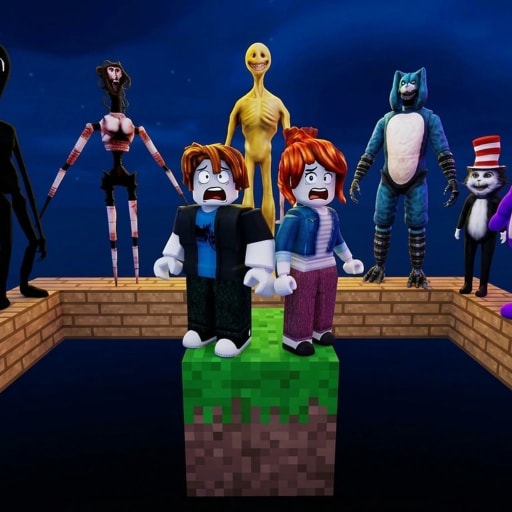
One Block Horrors But Gun is the wiki brand for Roblox’s ONE BLOCK HORROR by jacobis group: free-to-play Survival, released 2026-08-30, online co-op up to 20 players, mine a regenerating One Block, expand a floating base, upgrade tools, survive night monsters. Community chatter still pushes “auto farm,” “GUI hub,” and “keyless OP” bundles for this genre. This page is the safety deep-dive behind the Scripts Hub. It does not host payloads, name download mirrors, or teach bypasses. It explains how accounts actually get ruined — and how to stay in the legitimate game instead.
If you only wanted feature maps, those live on Auto Farm and GUI Hub. If you wanted to play well without cheating, jump to Getting Started now.
What “ban risk” really includes
Players shorten everything to “will I get banned?” The real threat model is wider:
- Platform moderation. Roblox rules prohibit unauthorized clients, automation, and exploits. Enforcement can mean warnings, temporary bans, or permanent loss of the account that holds your limiteds, game passes, and social graph.
- Session theft. Malicious pastes and fake loaders harvest cookies or tokens. You wake up to a emptied inventory or a hijacked account — sometimes without a classic “banned” banner first.
- Device malware. Crack-style executors and “free keyless” installers are a favorite Trojan channel. The damage lands on the PC, not only the Roblox profile.
- Social blast radius. Clips of glowing GUIs in a 20-player lobby can get you kicked, reported, or blacklisted from friend groups who wanted a fair horror night.
Treating risk as only “Roblox might ban the alt” underestimates how paste culture attacks identity and machines.
Account theft patterns to recognize
Phishing wrapped as scripts usually asks for something a real local executor never needs:
- Your Roblox password, email code, or backup codes.
- A browser cookie or
.ROBLOSECURITYstyle secret pasted into Discord or a web form. - A “verify human” OAuth page that is not Roblox.
- A webhook URL you must “register” before the GUI opens.
- A request to disable antivirus or Windows SmartScreen “so the inject works.”
Any of those is a stop sign. Close the tab, change passwords from a clean device if you already typed secrets, enable 2FA, and review active sessions. No One Block auto-mine toggle is worth a stolen main.
Also beware “recovery helpers” that appear after you already got burned. Double scams thrive when panicked players search for undo buttons.
Why malware loves paste culture
Survival Roblox titles with a grinding daytime loop — regenerating blocks, tool upgrades, long AFK temptations — attract people who want shortcuts. That demand creates a market for:
- Renamed
.exefiles pretending to be loaders. - Clipboard stealers that swap crypto or login strings.
- Fake “fixed after patch” archives bundled with unrelated payloads.
- Browser extensions that claim to run scripts without an executor.
You cannot reliably tell a clean UI theme from a hostile one by screenshots alone. A horror-red GUI skin does not sanitize the process that launched it. This wiki will never tell you a third-party tool is safe, and it will never mirror binaries.
Keyless claims are a red flag cluster
Marketing language around “keyless,” “undetected,” “free OP,” and “works after every update” is not a feature checklist — it is a funnel. Key systems exist partly to gate access and partly to farm Discord joins; “keyless” removes even that thin friction so the widest audience clicks the sketchiest mirrors.
Red-flag bundle traits:
- Urgency (“patch proof for 24 hours only”).
- Pressure to recruit friends for access.
- Screenshots of currency or admin items that the live experience does not grant.
- Instructions to allowlist malware names in Defender.
- Bundling unrelated games’ scripts into one “universal OneBlock” pack — especially dangerous because players confuse ONE BLOCK HORROR by jacobis with Minecraft-style OneBlock servers or other Roblox One Block places.
If the pitch focuses more on bypassing keys than on describing toggles you already understand from Auto Farm or GUI Hub, assume the product is the victim, not the gun spray.
Roblox Terms of Use (plain language)
Roblox requires players to use approved clients and forbids cheating that modifies gameplay unfairly or interferes with others. Third-party executors, memory editors, and automation pastes sit outside that permission. “Everyone does it” is not a defense in moderation reviews. “I only auto-mined during day” still automates gameplay. “I used an alt” still risks that alt — and often the device fingerprint sitting under it.
Creators like jacobis also ship remotes and anti-tamper changes in ordinary updates. When a paste breaks after the latest patch, that is expected. Broken scripts are not a reason to download twelve replacements from strangers; they are a reminder the unofficial stack was always fragile.
What to do instead (legitimate path)
The fantasy you actually bought into with a free play button is tension at sundown, not a spreadsheet of loops:
- Follow Getting Started so hour one builds a catch floor instead of a void museum.
- Upgrade tools and combat gear with the Tier List Hub instead of item-giver fantasy buttons.
- Learn night roles with the Players Hub so co-op covers watchers and miners without automation.
- Track real changes on the Updates Hub — including how-to-track habits — so you retest mining and dusk yourself.
- Ignore code scams; the Codes Hub stays honest when nothing is verified.
Boredom during daytime grinding is real. Rotate miners in co-op, widen platforms so drops cannot fall forever, take breaks at dawn, and treat night as the content. That keeps friends willing to queue with you next week.
If you already ran something sketchy
- Stop the executor; close Roblox.
- From a clean browser/device, change Roblox password and enable 2FA.
- Revoke weird open sessions and linked apps.
- Scan the PC with reputable antivirus tools you already trust — not a random “cleaner” the paste recommended.
- Tell teammates if shared docs or Discord tokens might be exposed.
- Play fair for a long stretch; do not “test one more undetected” pack while panicked.
How this page fits the Scripts section
- Scripts Hub — categories and the short disclaimer.
- Auto Farm — feature map for hit/collect/chest/speed/anti-AFK concepts.
- GUI Hub — all-in-one panel feature literacy.
- This page — theft, malware, keyless red flags, ToS, incident response, legitimate alternatives.
We describe risks so marketing blurbs cannot confuse you. We do not provide scripts, loaders, or marketplace referrals. There are no download links here on purpose.
Bottom line
Ban risk for One Block-style scripting is not a meme warning under a pastebin. It is account theft, malware, moderation action, and ruined co-op trust. Keyless “OP” claims intensify that funnel. Roblox rules are clear enough: unauthorized automation is outside the allowed client. The regenerating One Block, the floating base, and the night monsters still play best with upgraded tools and teammates who know you are not running a hidden window. When in doubt, close the sketchy tab and open Getting Started.
Frequently Asked Questions
Quick answers to the most common questions.
Can I get banned for using scripts in ONE BLOCK HORROR?
Yes. Unauthorized executors and automation violate Roblox rules and can lead to moderation up to permanent account loss.
What is more dangerous than a ban?
Malicious pastes and fake loaders that steal cookies, passwords, or infect your device. Always treat credential requests as theft attempts.
Are keyless scripts safer?
No. Keyless marketing widens the click funnel for sketchy mirrors. It is a red flag cluster, not a safety feature.
Does this wiki provide script downloads?
No. We explain feature categories and risks only. There are no download links or marketplace referrals on this page.
What should I do instead of scripting?
Follow Getting Started, use tier lists for upgrades, coordinate co-op on the Players Hub, and track patches on the Updates Hub.