One Block Horrors But Gun How to Track jacobis Patches
Use Roblox timestamps, description diffs, and a five-minute retest loop so quiet updates never erase your meta.
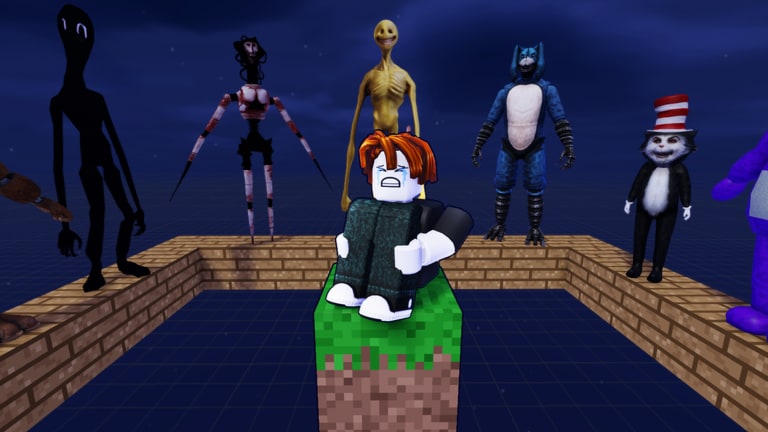
Why tracking beats rumor screenshots
ONE BLOCK HORROR by jacobis group (wiki: One Block Horrors But Gun) is a live Roblox Survival place: free-to-play since 2026-08-30, online co-op, max 20 players, PlaceId 77656978984223, universeId 10764523148. Creators on Roblox often ship balance and remotes fixes without a multi-page patch blog. If you only refresh TikTok comments, you will miss quiet changes to tool feel, night spawns, and Codes UI. This guide teaches a repeatable tracking loop so your squad’s meta stays honest.
Use it beside the parent Updates Hub and the narrative digest on Latest Patch Notes. When promos appear, the Codes Hub is the verification wall. When gear advice shifts, rebuild from the Tier List Hub.
Signal 1 — Roblox “Updated” timestamp
Open the official experience page for ONE BLOCK HORROR by jacobis. Note the Updated time. A fresh stamp is your primary trigger even when the public description barely changed. Write the date in your squad chat: “universe looked updated ~2026-11-26” is more useful than “someone said it patched.”
Timestamps drift and displays can lag by timezone — capture a screenshot of the page header if your group argues. Do not confuse place visits or favorite counts with patch proof; visits near ~1.2M and favorites near ~5.8k (late 2026 research) only show audience size, not what changed in remotes.
Signal 2 — Description diffs
Copy the experience description into a note the first time you track, then diff after each new stamp. Look for:
- New bullet lines about tools, nights, weapons, or events.
- Removed sentences (sometimes creators delete outdated code hints).
- Thumbnail or media swaps that hint at a content beat.
- Soft language like “fixes” or “improvements” with no detail — still treat as a retest order.
No long official blog does not mean no patch. Silence plus a new Updated time still means you should run the checklist below.
Signal 3 — Group shouts and social blips
jacobis group shouts, wall posts, or short social posts can announce milestones faster than the description text. Treat them as leads, not final patch notes:
- Confirm the shout refers to this place (same universe), not another One Block-named experience.
- Ignore third-party “codes dropped” replies until you redeem successfully yourself.
- Mirror confirmed facts into your own notes, then compare with Latest Patch Notes on this wiki.
Community wikis and Discord screenshots help discovery; primary observation on the Roblox page remains source-of-truth for timestamps.
What to retest every time (tools, nights, codes UI)
Budget five to ten minutes on a quiet join after any fresh stamp:
Tools and mining tempo
- Equip your usual mid-tier pickaxe-style tool.
- Time one durability or one short mining cycle on the regenerating One Block.
- Note gather feel versus last session — sticky, identical, or trivial.
- Check whether upgrade costs in your craft UI still match memory.
- Update personal ranks with help from the Tools list if something clearly moved.
Nights and monster pressure
- Stay through one dusk transition if you can spare the time.
- Watch spawn density, knockback on railings, and audio telegraphs.
- Ask whether former mid threats now force full lock-downs.
- Cross-check impressions against the Monsters list.
- Tell solo and co-op teammates separately — full 20-player lobbies can feel spawner than private vibes.
Codes and Settings UI
- Open whatever Codes / Shop / Settings panel you normally use.
- Confirm the redeem field still exists and accepts paste.
- Do not invent strings to “test.” If nothing new is posted, leave the Codes Hub honest.
- If a shout claimed a code, redeem once, record success/fail, and only then share.
Weapons and combat feel (when relevant)
If your hotbar leans gun-forward, fire each primary on a finished pad and note recoil or reload changes. Behavior-based ranks on the Weapons Tier List matter more than renamed labels.
Scripts reality check
Unofficial auto farm and GUI pastes break when remotes move. That is expected. Do not treat breakage as a cue to download sketchy “fixed keyless” renames — read Scripts Hub risk notes instead and prefer manual play while the dust settles.
A lightweight squad protocol
- One player watches the Roblox page for Updated stamps (rotate weekly).
- On a new stamp, that player posts date + description diff summary.
- A second player runs the mining/dusk/UI checklist and reports concrete notes (“iron-like pick ~20% slower,” not “game weird”).
- Squad adjusts dusk roles and craft targets the same day.
- Someone skims this wiki’s Updates Hub so language stays aligned for new members.
Concrete notes compound. Vibes arguments do not.
What not to trust
- Random comment codes for other “OneBlock” Roblox or Minecraft games.
- Edited screenshots without a visible Updated timestamp.
- “Undetected script updated for today’s patch” marketing.
- Inflated visit claims used as patch evidence.
- Assuming a thumbnail change always means new monsters — verify in-world.
How this page fits Updates
- Updates Hub — philosophy and reading order.
- Latest Patch Notes — long-form snapshot of release status and balance themes.
- How to Track — your personal/squad method for catching quiet jacobis ships.
Keep the loop boring and repeatable. Boring tracking is how you notice when tool pacing or night knockback actually changed — and how you avoid rebuilding the island on yesterday’s assumptions.
Bottom line
Track ONE BLOCK HORROR with three signals: Roblox Updated timestamps, description diffs, and cautious group shouts. Every fresh stamp triggers a short retest of tools, nights, and codes UI, plus weapons feel when your kit depends on it. Pair observations with Latest Patch Notes, keep Codes honest, and refresh tier lists when numbers disagree with your hands. The regenerating One Block forgives many mistakes; untracked patches forgive fewer.
Frequently Asked Questions
Quick answers to the most common questions.
What is the first place I should check for a patch?
The official Roblox experience page for ONE BLOCK HORROR by jacobis — especially the Updated timestamp and description text.
What if there is no long patch blog?
That is normal. Treat a new Updated stamp as your cue to retest mining, night pressure, and Codes UI yourself.
What three systems should I retest every time?
Tool/mining tempo on the regenerating One Block, night monster pressure, and whether the Codes or Settings redeem UI still opens.
Can visit counts tell me if the game updated?
No. Visits and favorites show popularity. Use the Updated timestamp and in-world retests for patch detection.
Where do I read the wiki’s patch digest?
See Latest Patch Notes for the long-form snapshot, and the Updates Hub for the overall tracking map.