One Block Horrors But Gun Mobile Tips for Touch Players
Survive the regenerating One Block on phone or tablet — cleaner touch layout, safer mining, and smarter night choices.
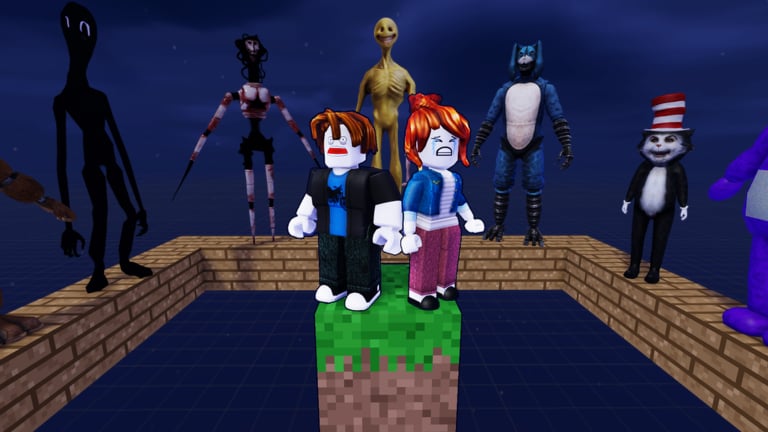
Phones can clear nights on ONE BLOCK HORROR by jacobis — they just punish sloppy UI and edge greed harder than a mouse. This Mobile Tips page for the One Block Horrors But Gun wiki covers touch controls, UI scale, mining while aiming, battery and heat, when to prefer PC for hard nights, and settings habits that keep you on the floating pad. Pair it with Controls for cross-device defaults, Getting Started for the day-one loop, and Solo Survival if you queue into quiet sessions alone.
Same facts as the rest of the wiki: free-to-play Survival, released 2026-08-30, online co-op up to 20 players, regenerating One Block, night monsters, PlaceId 77656978984223. Mobile does not change the loop — it changes your error budget.
Touch controls that actually fit your thumbs
Roblox mobile defaults:
- Left virtual joystick — move.
- Right drag — camera.
- Jump button — jump.
- Tool / attack control — mine, shoot, or place with the equipped item.
- Hotbar strip — tap to swap.
- Inventory button — backpack.
Thumbs cover UI. Mitigate before your first serious dusk:
- Open Roblox settings and enlarge the joystick if your left hand eats the hotbar.
- Nudge transparency so you can still see floor edges under the stick.
- Confirm which on-screen control reloads your gun during daytime — do not discover it mid-lunge.
- Pre-select gun on dusk; hunting a tiny hotbar icon during a wave is a classic mobile wipe (Weapons and Guns).
If you own a clip-on controller, treat nights like console: bumper-cycle tools in a daylight drill, then use the gamepad habits from Controls.
UI scale and readability
Horror lighting plus small text equals missed chest labels and wrong hotbar taps.
- Increase UI scale until slot 1–4 are reliably tappable without looking away from the island edge.
- Use a shape-memory hotbar: pick, gun, blocks, food — same order every session so you are not reading labels in red night tint.
- Keep chat opacity manageable; full-lobby spam at 20 players can cover jump buttons.
- Landscape orientation usually gives a wider view of floating pads; test both, then lock the one that shows more floor.
Mining and aiming on a phone
You cannot mouse-flick and precise-mine at once as cleanly as PC. Adapt the geometry instead of forcing PC habits.
- Build a wider mining ring so imperfect strafes still land on blocks (Expand Base).
- Prefer short mining bursts facing the center, not long backward walks toward the void.
- When a spawn call hits, stop the joystick, tap gun, then re-engage movement — simultaneous thumb chaos causes edge deaths.
- Aim for center mass on trash; save twitch tracking for isolated threats on finished plaza floor.
- If heat lag spikes, retreat to the island center, not a bridge tip.
Mobile solo players should lean even harder into compact bases from Solo Survival: fewer spokes, denser lights, earlier banking.
Battery, heat, and input lag
Thermal throttling feels like “random void deaths.” It is often delayed inputs near edges.
- Lower graphics if the device is hot; stable 30 FPS with crisp inputs beats pretty 5 FPS stutter on a one-wide bridge.
- Remove the phone case during long sessions if heat is chronic (careful with grip).
- Keep the device charged or on a short cable routed so it cannot yank you mid-strafe — wireless buds help if the cable fights your hands.
- Take dawn breaks: stretch, cool the phone, skim Latest Patch Notes if you stepped away for days.
- Close background apps that steal touch sampling.
When to prefer PC for nights
Mobile is fine for daytime expansion, farm upkeep (Food and Farms), and learning the regenerating block. Prefer PC (or a controller on a larger screen) when:
- You expect boss-style elites or heavy knockback nights (Beat Monsters, Tier List — Monsters).
- The lobby is near the 20-player cap and bridge traffic is chaos (Co-op Tips).
- Your device already throttled during yesterday’s dusk.
- You are pushing a fresh tool tier and cannot afford inventory death (Upgrade Tools).
There is no shame in “mobile day, PC night.” The void does not grade your device loyalty.
Settings checklist (mobile)
- Joystick size and transparency tuned.
- Hotbar order locked: pick / gun / blocks / food.
- Reload control confirmed in daylight.
- UI scale high enough for reliable taps.
- Graphics low enough for stable input under heat.
- Wider floors and rails before hard nights.
- Dusk ritual: bank, eat, gun selected, defend tile chosen (Survive the Night).
- No unverified code APKs or executors — Codes Hub still showed no verified promos as of November 2026 research; phishing loves mobile grinders.
Session templates
Short mobile session (30–45 min): catch apron upkeep, small farm harvest, one careful expand ring, early logout before deep night if the phone is warm.
Full mobile night: only if floors are wide, lights dense, gun pre-selected, and heat is under control. Play safer angles than you would on PC — peek more, chase less.
Mixed: expand and farm on mobile; hop to PC when friends call a serious push.
Mindset
Mobile horror on a floating block is intense. Shrink goals when thumbs tire: “survive with rails intact” beats “finish the mega wing.” If tilt rises, read Common Mistakes instead of ego-bridging.
Touch players who respect UI scale, heat, and wider geometry clear more dawns than touch players who copy PC bridge widths. For the full input map, stay on Controls; for first-day structure, return to Getting Started; for alone-queue habits, use Solo Survival. Browse other playstyles from the Players Hub.
Frequently Asked Questions
Quick answers to the most common questions.
Can I play ONE BLOCK HORROR entirely on mobile?
Yes. Widen floors, enlarge controls, pre-select your gun at dusk, and manage heat — or move the hardest nights to PC.
What hotbar layout works on phones?
Keep pick, gun, blocks, and food in slots 1–4 so dusk swaps stay muscle memory without reading tiny labels.
Why do I keep falling into the void on mobile?
Usually thumb occlusion, unfinished skinny bridges, or thermal input lag. Widen the mining ring, rail edges, and cool the device.
When should I switch to PC?
For boss-style nights, full 20-player chaos, heavy knockback patches, or whenever your phone already throttled during dusk.
Any settings I should change first?
Enlarge the joystick, raise UI scale for reliable hotbar taps, lower graphics for stable input, and confirm reload in daylight.
Where should mobile players go next?
Controls for input details, Getting Started for the day-one checklist, and Solo Survival if you often queue alone.