One Block Horrors But Gun Updates Hub
Track jacobis patches for ONE BLOCK HORROR — tools, nights, and promo windows in one place.
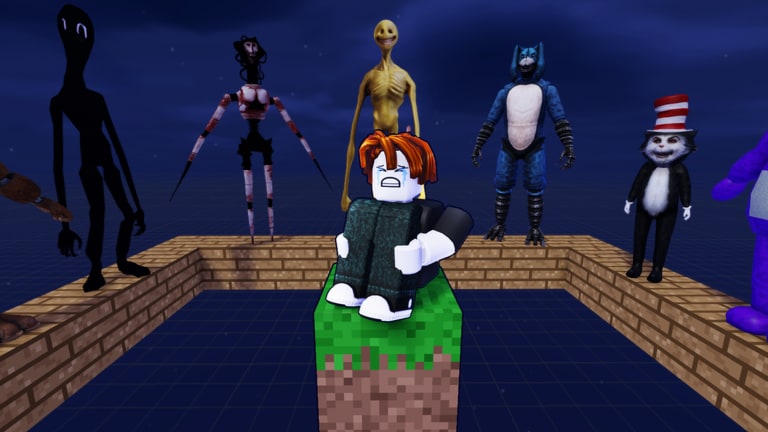
How patches arrive for this experience
ONE BLOCK HORROR by jacobis group is a live Roblox Survival place (wiki brand One Block Horrors But Gun). Updates usually show up as a refreshed experience description, a version bump on the Roblox page, and sometimes a short group shout. There is not always a lengthy Steam-style patch essay — Roblox creators often ship quiet remotes fixes beside louder content beats. This hub teaches you what to watch so those quiet ships do not erase your personal meta overnight.
Core facts stay fixed unless a patch explicitly changes them: released 2026-08-30, free-to-play, online co-op, max 20 players, loop of mining the regenerating One Block, expanding a floating base, upgrading tools, and surviving night monsters. Late 2026 research put visits near the low millions (~1.2M) with thousands of favorites — enough attention that balance tweaks keep coming.
What to inspect after every update
Tool feel. Swing speed, durability, and upgrade costs shift first. Recheck the Tools & Gear Tier List if mining suddenly feels sticky or trivial.
Weapons feel. Recoil, reload, and ammo economy move quietly. Refresh behavior ranks on the Weapons Tier List when dusk kits suddenly feel wrong.
Night spawns. Monster counts, damage, and knockback on floating pads are the horror identity. Compare behavior to the Monsters Tier List and adjust dusk routines.
UI panels. Codes buttons, shop tabs, and settings move. Even while the Codes Hub shows no verified active promos (late Nov 2026), confirm the redeem UI still exists using How to Redeem Codes habits.
Performance in full lobbies. A 20-player night can expose lag from new particles or AI. Note whether private servers feel different from public ones.
Script breakages. Community auto farm and GUI pastes die quietly when remotes rename — expected, and another reason the Scripts Hub and Script Ban Risks stress risk over reliance.
Reading order for patch days
- Open the official Roblox experience page for ONE BLOCK HORROR and skim the latest description changes.
- Use the method on How to Track Updates so timestamps and diffs become a habit.
- Read our narrative digest on Latest Patch Notes.
- Spot-check Getting Started advice if onboarding steps shifted.
- Update your personal hotbar plan with tier lists.
- Tell your co-op group using tips from the Players Hub so nobody bridges with outdated assumptions.
Cadence expectations
Early life after an August 2026 launch often means frequent small fixes: void deaths, regen timing, soft locks on the One Block. Later patches lean into content — new threat choreography, quality-of-life building pieces, or event wrappers that might include codes. We will never invent patch bullets. When jacobis is silent, this hub stays honest about “no detailed public notes” and still tells you which systems to regression-test yourself.
Linking progression to patches
Updates are not only changelog tourism. A gather-rate buff can move your next tool upgrade earlier; a monster buff can demand tighter railings before you expand another ring. Keep Wiki Hub bookmarked as the systems encyclopedia when a patch names a mechanic without explaining it.
If a patch coincides with a promo, verified strings will surface on the Codes Hub. Until then, assume progression still comes from the regenerating block and teamwork, not gift codes — and do not paste Lucky Block strings from unrelated OneBlock games.
Contributor mindset for this wiki
When you notice a live change — tool rename, new scream audio, different dusk timer — compare it to Latest Patch Notes, run the checklist in How to Track Updates, and prefer the Roblox page date over rumor screenshots. That discipline keeps the Updates Hub useful for both solo grinders and full 20-player horror lobbies.
Stay patch-aware, keep building outward from the One Block, and treat every night as a fresh exam of jacobis’s latest balance pass.
Frequently Asked Questions
Quick answers to the most common questions.
Where do official ONE BLOCK HORROR updates appear?
Primarily on the Roblox experience page and jacobis group communications. This hub summarizes what players should retest after those changes.
How often does the game update?
Cadence varies. Expect denser hotfixes soon after the 2026-08-30 launch, then steadier content and balance patches as the audience grows.
Do updates add promo codes?
Sometimes creators bundle codes with patches, but none are verified active as of late November 2026 research. Watch the Codes Hub after each update.
What should I retest first after a patch?
Mining feel on the regenerating One Block, night monster pressure, and whether Codes/Settings UI still opens. See How to Track Updates for the full loop.
Where is the detailed digest?
See the Latest Patch Notes page for a long-form snapshot, and How to Track Updates for the repeatable Roblox timestamp method.